Creating a Class
Written By Pollution
Last updated 11 months ago
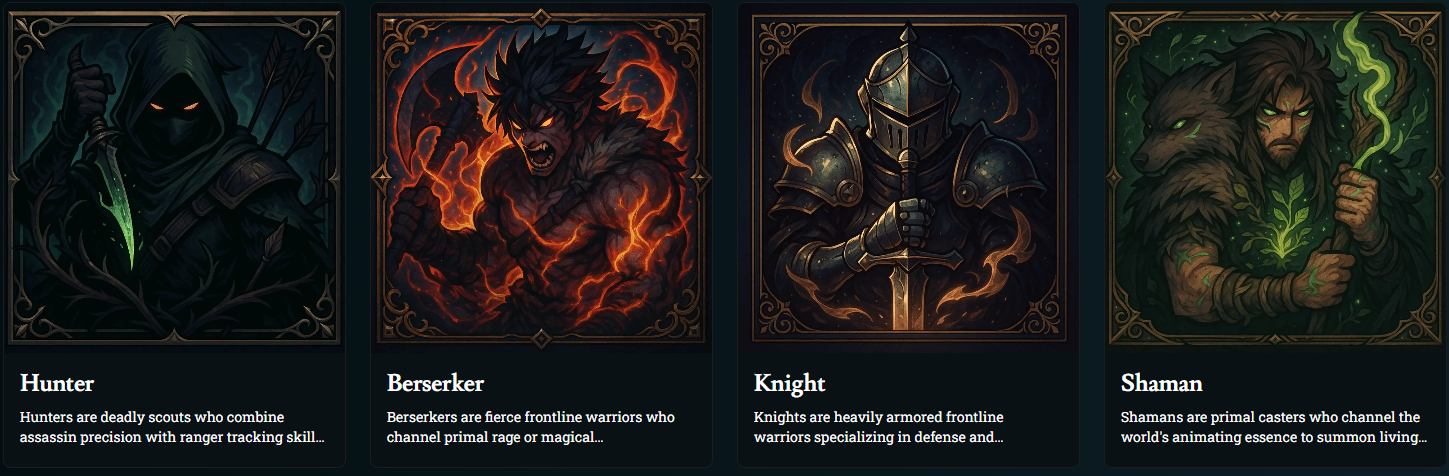
Creating a Class
Classes define how your players fight, think, and grow over time. The Class Builder lets you create fully custom classes with their own spellcasting, features, and resources. You can build everything yourself or let AI do most of the heavy lifting.
Using “Generate With AI”
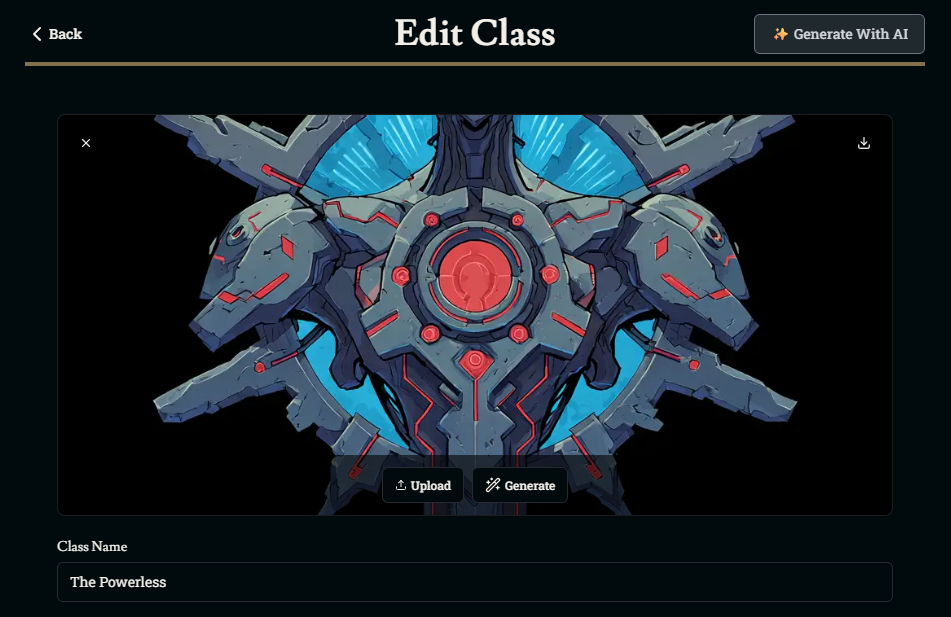
At the top-right of the editor, click Generate With AI to open the class generator.
Type a short prompt describing the fantasy and playstyle of the class.
Example: “A non-magical tactician who uses exosuits and gadgets, half caster with a focus resource for burst attacks.”
When you click Generate, the AI can fill in:
Class name and description
Hit die and spellcasting settings
Cantrip/spell progression
Class features
Class resources
You can always tweak anything it creates afterward.
Core Class Settings
These fields define the basics of the class:
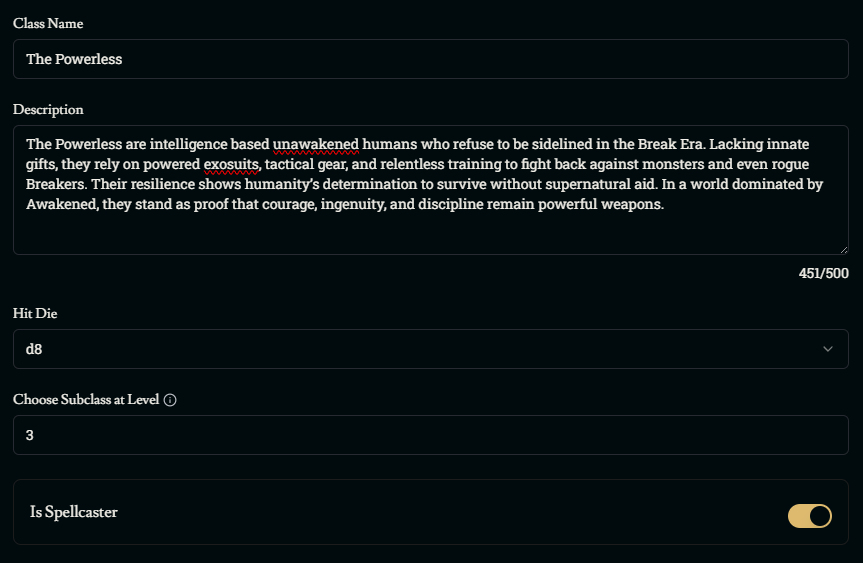
Class Name & Description
Class Name: What players select in the character builder
Description: A short summary of what the class does, its role in the world, and what makes it special
Try to keep the description focused on playstyle and fantasy so players can quickly understand the class.
Hit Die
The Hit Die controls how durable the class is.
Smaller dice (d6, d8) = frailer, caster-type classes
Larger dice (d10, d12) = tougher, front-line classes
Choose the die that matches how often you expect the class to be in the thick of danger.
Subclass Level
Choose Subclass at Level determines when characters pick a subclass.
Click here to learn more about subclasses.
Spellcasting Settings
Turn on Is Spellcaster if the class uses spells or powers tracked like spells. This unlocks the spellcasting section.
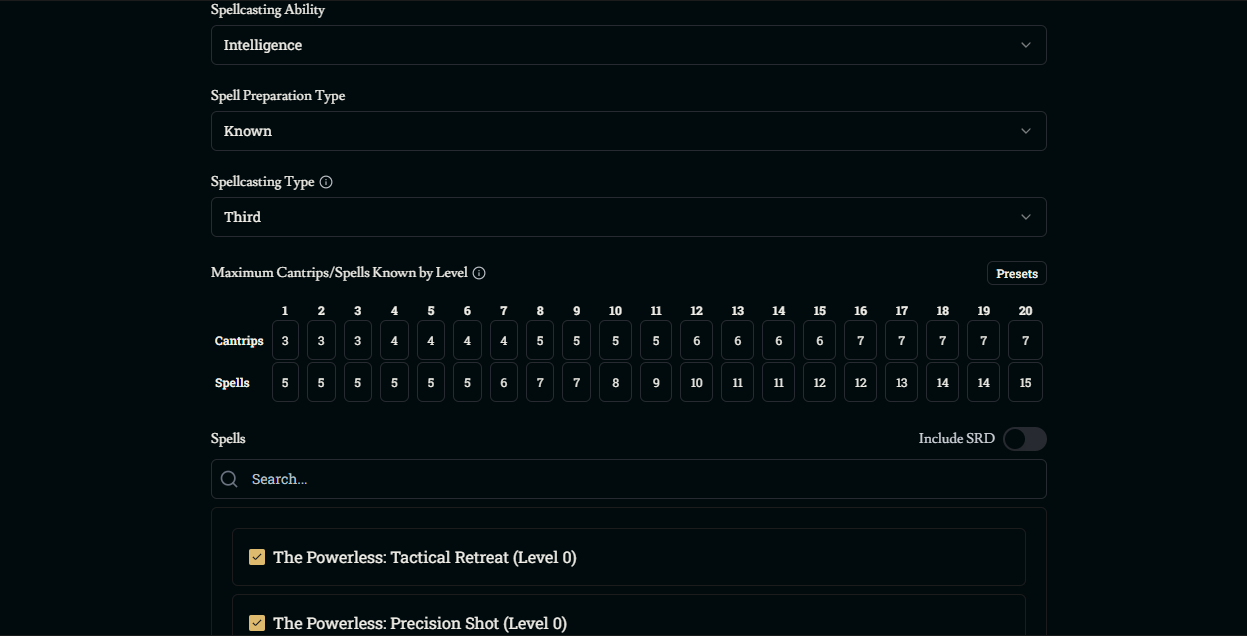
Spellcasting Ability
Choose which ability score controls spell save DCs and spell attack rolls (e.g., Intelligence, Wisdom, Charisma).
Preparation Type
Prepared – The class has access to a larger list of spells but prepares a subset each day
Known – The class learns a fixed list of spells and always has those available
Pick the structure that matches the class fantasy (studious prep vs innate talent).
Spellcasting Type
This sets how “deep” the spell progression goes:
Third Caster – Very light casters, typically maxing out at 4th-level spells
Half Caster – Martial/caster hybrids, usually maxing at 5th-level spells
Full Caster – Dedicated spellcasters, eventually gaining 9th-level spells
Choose the type that fits how magical you want the class to feel. Some worlds may only feature spells or skills that only reach 4th level, but tweak the spells or abilities to be far more powerful at that level than a traditional 4th level spell or ability. Customization is all up to the world builder and how they want their game to be played. The progression grid below will usually follow this choice.

Cantrips & Spells by Level
Use the Maximum Cantrips/Spells Known by Level grid to control how many options a character has at each level.
Cantrips – Level 0 spells that can be cast at will
Spells – The number of non-cantrip spells the class can know or prepare at that level
You can:
Click Presets to start from a preset progression
Manually adjust individual levels if you want something custom
Choosing Spells
In the Spells section:
Use the search bar to find spells
Toggle Include SRD to show the built-in SRD spell list alongside your homebrew spells
Check the spells you want this class to be able to learn or prepare
These spells become the pool the character builder pulls from when a player chooses spells for this class. Keep in mind that spells aren’t generated automatically when you use AI to generate your class, those have to be done separately.
Click here to learn more about spells.
Class Features
Class Features are the built-in abilities characters get automatically as they level up. They’re where most of a class’s identity lives.
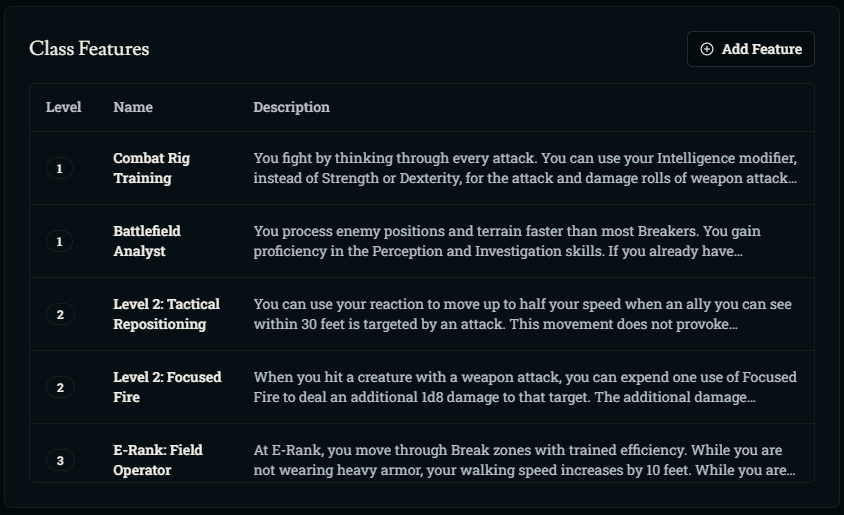
In the Class Features table you can:
Click Add Feature to create a new one
Click an existing feature to edit it
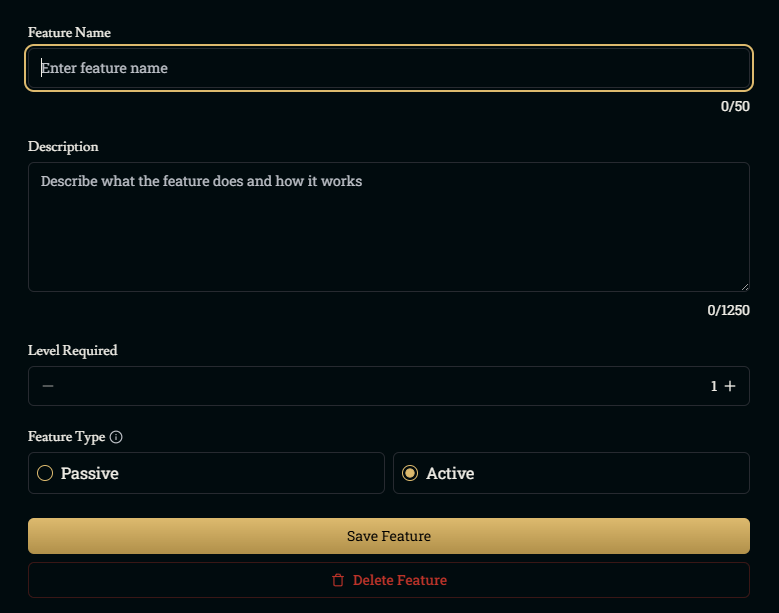
Each feature has:
Level – The character level where the feature is gained
Name – A short, clear title
Type – Usually Passive (always on) or Active (used in specific moments)
Description – Rules text describing what the feature does, when it applies, and any costs or limits
Franz can use many features directly in both narrative and turn-based combat, especially when their triggers and effects are clearly written. Some complex bonuses (like AC changes or extra spell access) may still need manual tracking for now.
When a character levels up, any new features you’ve set for that level appear on the level-up screen so players can see what they just unlocked.
Class Resources
Class Resources represent things like Rage, Focus Points, Mana, Charges, etc. This is pretty much any limited pool of power that refreshes on rests.
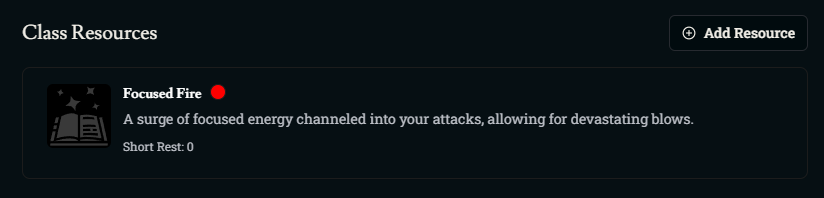
In the Class Resources section:
Click Add Resource to create one, or edit an existing resource.
Use Generate With AI if you want help naming and defining it.
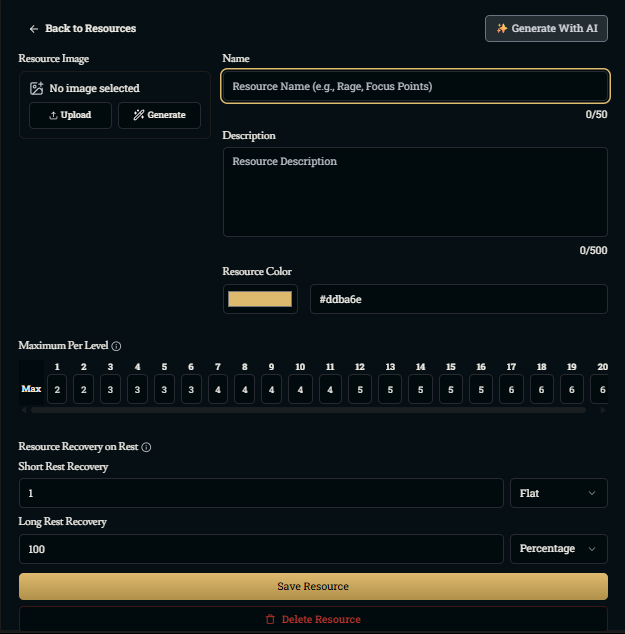
Each resource has:
Basic Info
Name – What players see on their sheet (e.g., “Rage”, “Focus Points”, “Energy”)
Description – A short note on what the resource represents and how it’s usually spent
Image & Color – Optional visual flair to make it easy to spot
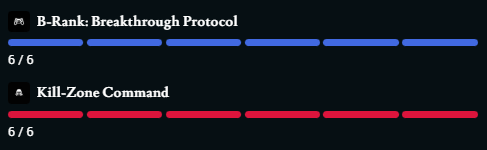
Maximum Per Level
Use the level grid to set how many uses a character has at each level. You can:
Give a flat number that scales over time (e.g., 2 at level 1, up to 6 at level 20)
Align it with your intended power curve (slow scaling for strong abilities, faster for small bonuses)
Recovery on Rest
Control how quickly the resource comes back:
Short Rest Recovery – How much is regained on a short rest
Long Rest Recovery – How much is regained on a long rest
Flat/Percentage
Use Flat for a fixed amount (e.g., “1 use per short rest”)
Use Percentage for “refill to full” behavior (e.g., 100%)
When a player calls out using an ability that spends that resource (“I spend 1 Focus Point to…”), Franz will do his best to track usage and restoration.
Was this helpful?