Creating a Faction
Written By Pollution
Last updated 11 months ago
Creating a Faction
Factions help define the groups, alliances, and power structures that shape your world. With the Faction Builder, you can create unique organizations like guilds, clans, cults, kingdoms, and more to add directly into your campaigns.
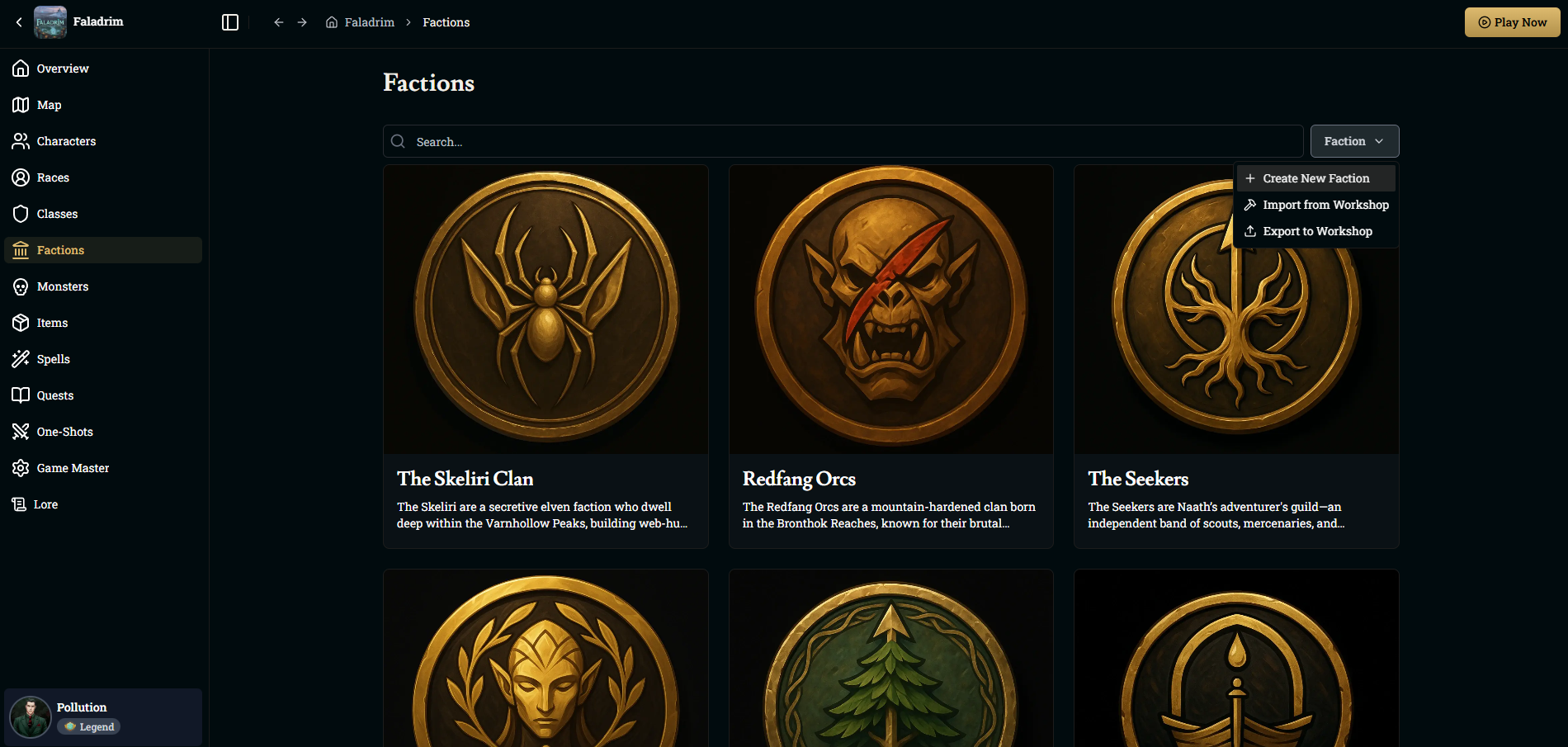
Getting Started
From your world page, open the Factions tab and click the Faction button in the top-right corner. Select Create New Faction to open the faction editor.
You can either:
Upload your own emblem, or
Click Generate With AI to instantly create a faction name, description, and artwork based on your prompt.
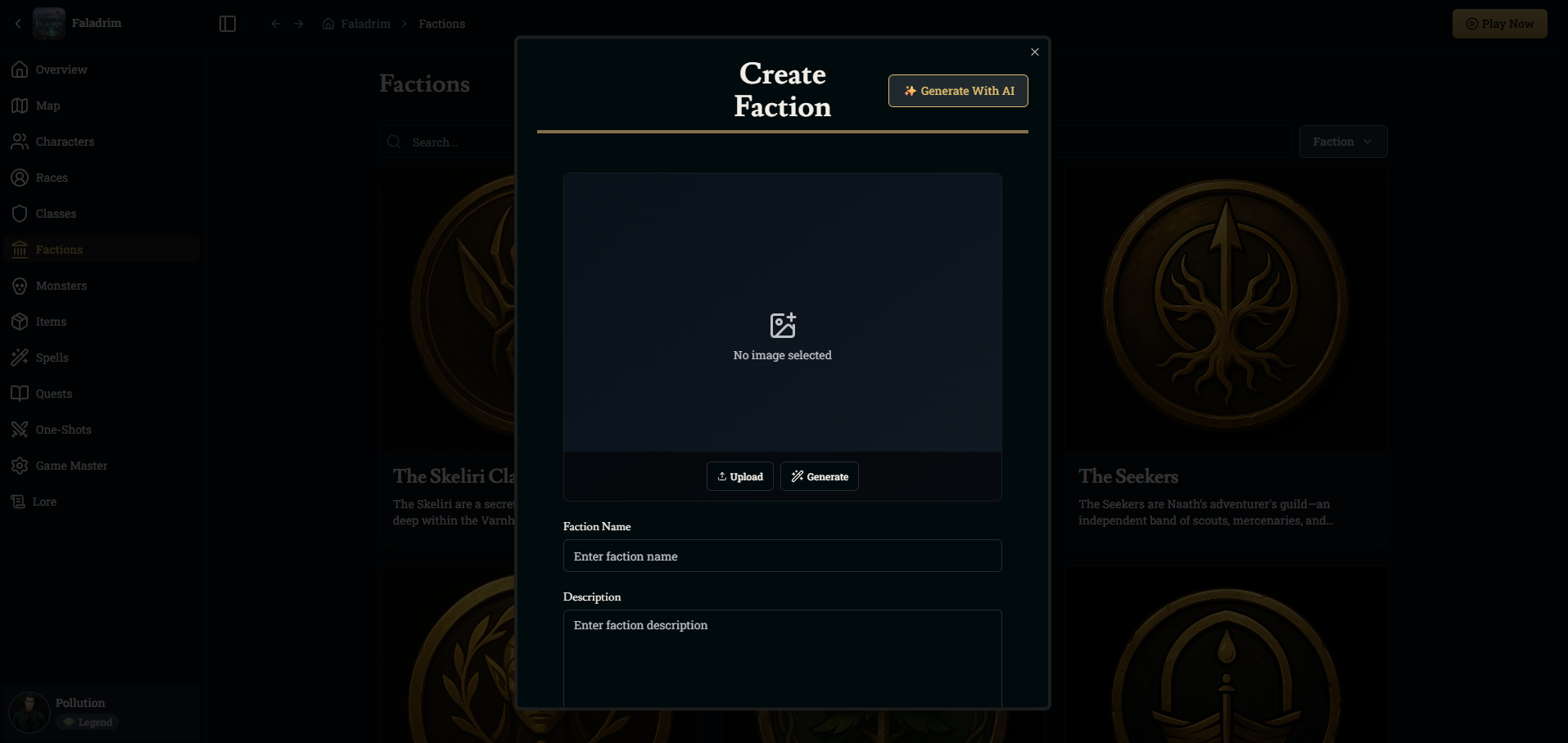
Adding Your Details
After selecting an image, fill out the basic fields:
Faction Name – What the group calls itself.
Description – A short summary of who they are, what they want, and where they operate.
This information will automatically become accessible to Franz during your campaigns, allowing him to reference the faction naturally in storytelling.
Saving and Using Your Faction
Click Create to save. Your faction now appears in the Factions list for your world, ready to be used in encounters, NPCs, quests, and story arcs.
You can edit your faction at any time or export/import it through the Workshop to share it across multiple worlds.
Adding Factions to NPCs and Locations
Once you’ve created a faction, you can assign it to both characters and locations throughout your world. Assigning a faction helps Franz understand political alignment, loyalties, and regional influence, allowing him to reference these relationships naturally during play.
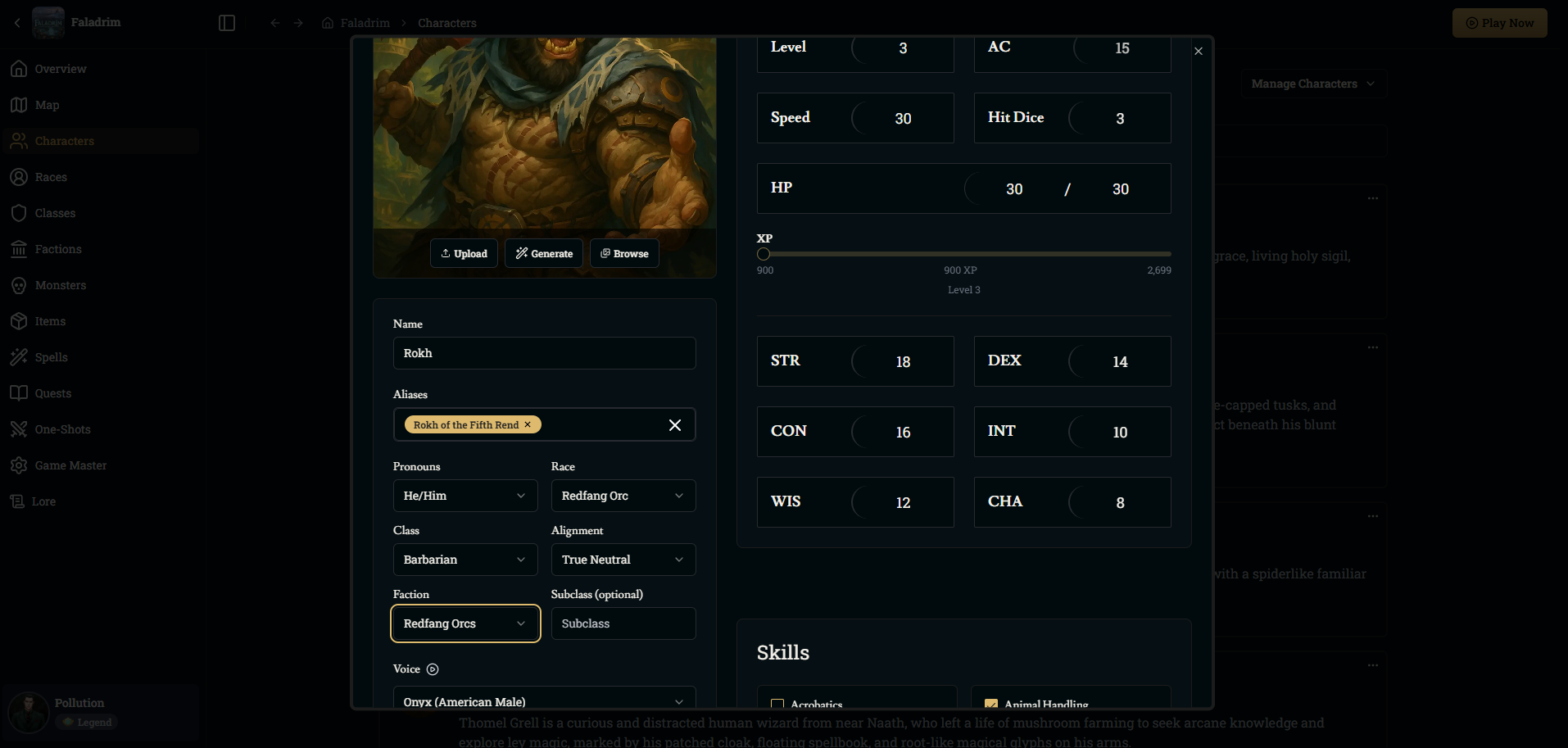
Adding a Faction to an NPC
To assign a faction to a character:
Open the Characters tab in your world.
Select an existing character or create a new one.
In the character editor, locate the Faction dropdown.
Choose any faction from your world, or create a new one directly from this menu.
Click Save to apply the changes.
Once assigned, Franz will treat this faction as part of the NPC’s background and may reference it during dialogue, encounters, or world interactions.
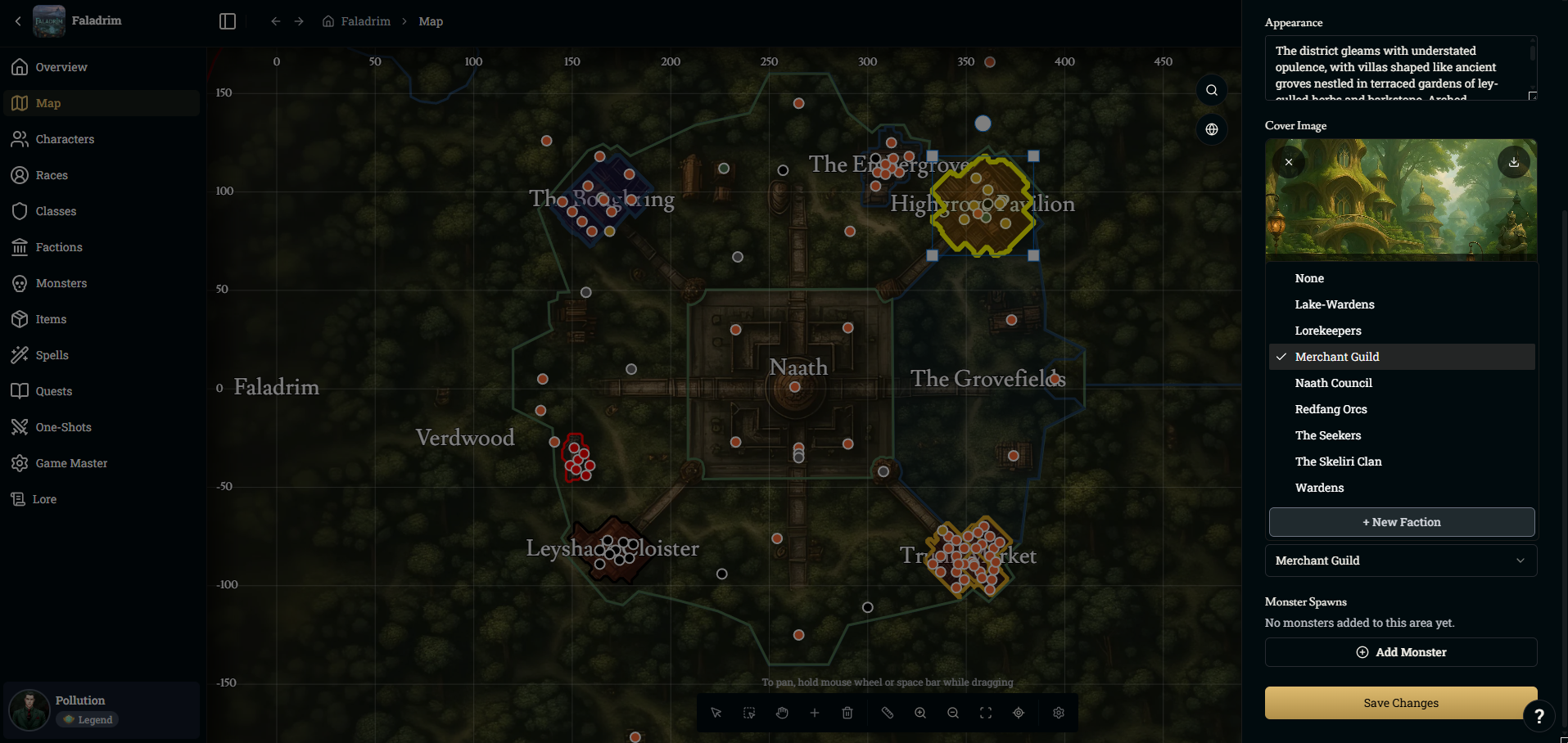
Adding a Faction to a Location
You can attach factions to POIs or districts on your world map to show who controls, influences, or protects that area.
To assign a faction to a location:
Open the Map tab in your world.
Click any POI or area to open its editor.
Find the Faction menu on the right panel.
Select the faction that governs or is associated with this location.
Save your changes.
Assigned factions will appear on the map and will influence how Franz narrates encounters, travel scenes, and NPC behaviors within that region.
Was this helpful?